
One house format for every resume you send out
Candidates arrive with resumes in every shape. A company template turns each one into your format, with your branding and your contact rules, before it goes to a client.
Design the format once
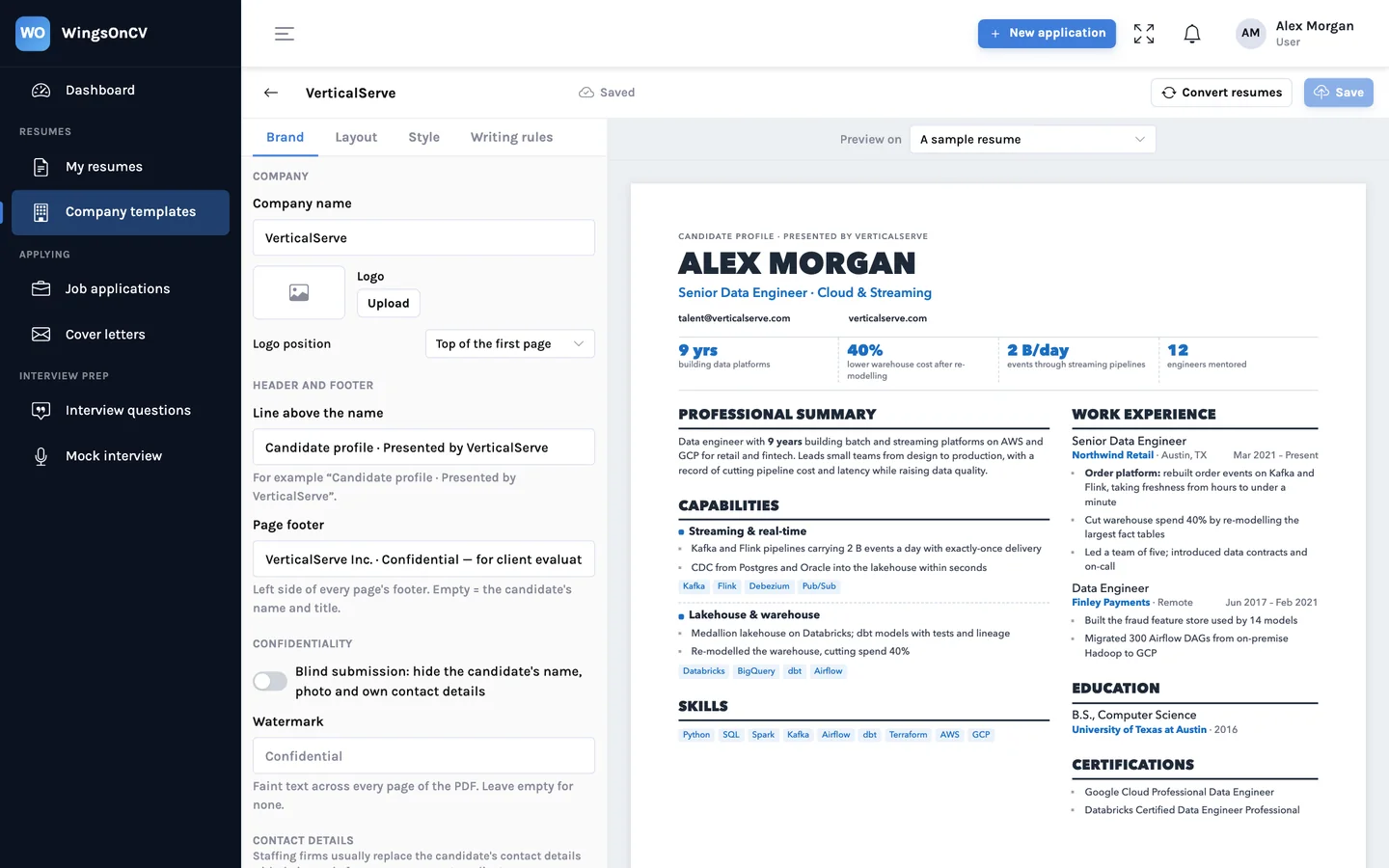
A company template is a layout plus the rules that go with it: logo and colours, the footer line, which contact details appear, and what a submission may show.
- Logo, brand colour, header and footer text
- Contact policy: the candidate's details, yours, or none
- Section order and naming that every converted resume follows
Apply it to any resume in one step
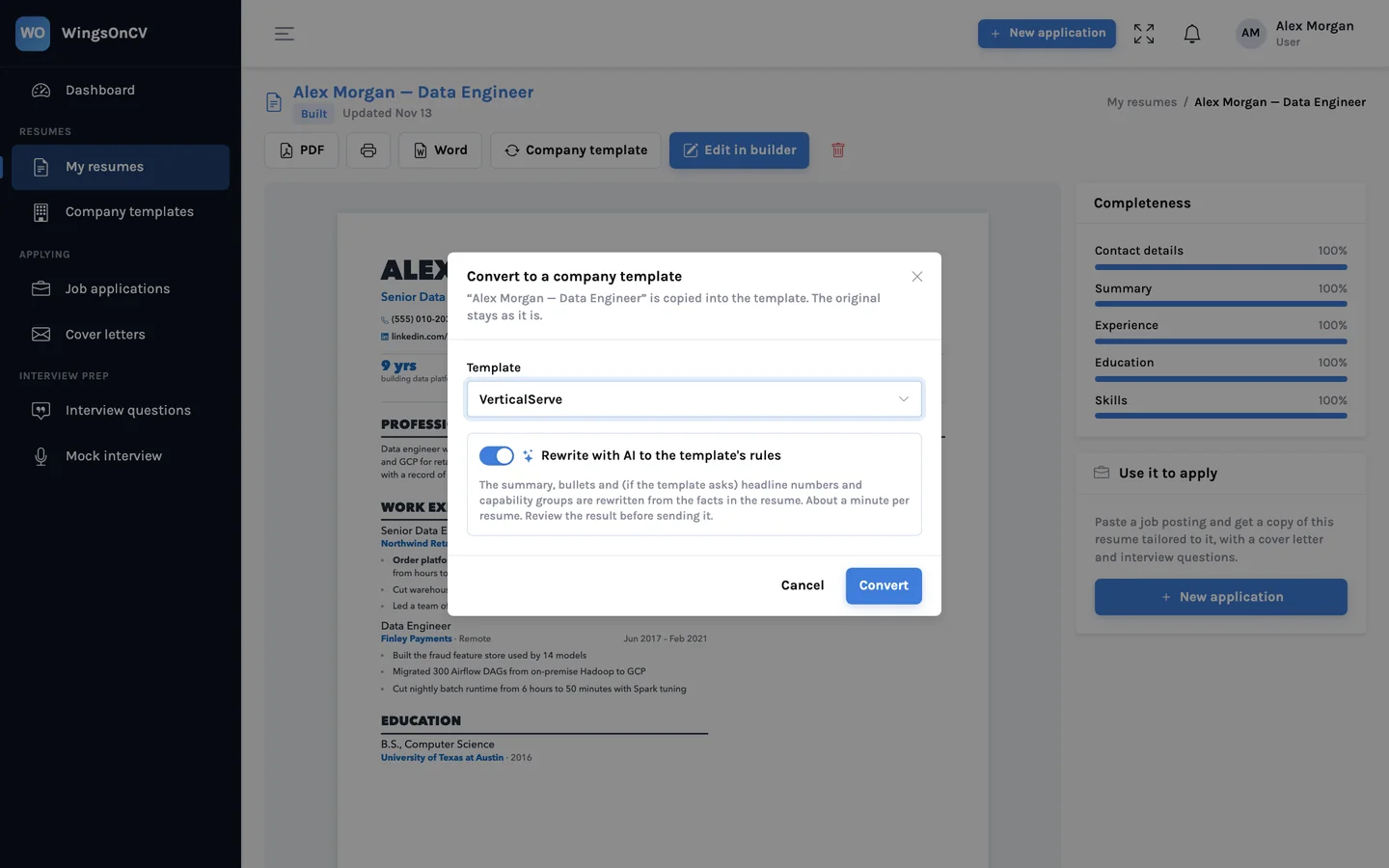
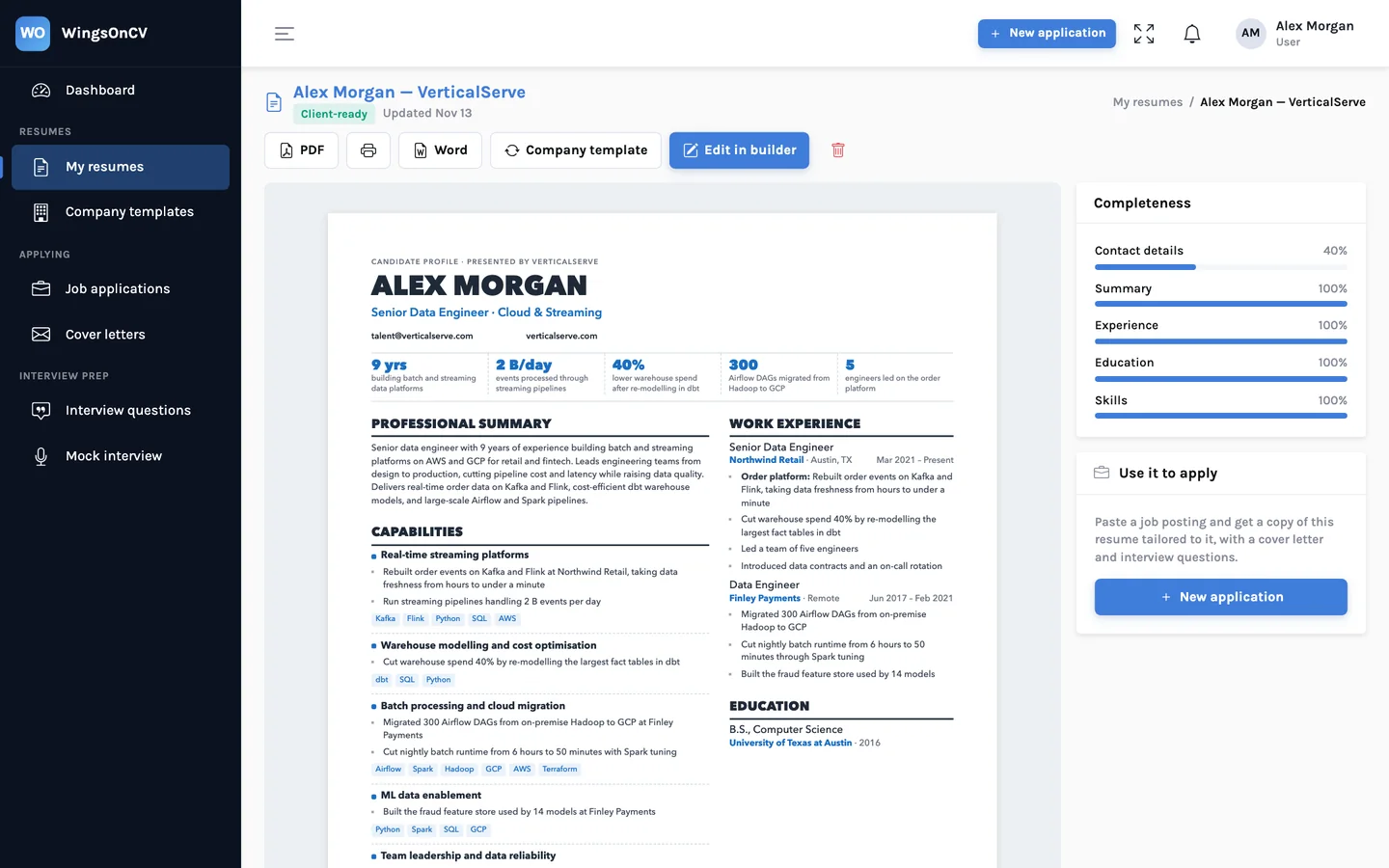
Open a candidate's resume, choose the company template, and a client-ready copy is created beside the original. The original is never changed.
- Convert as-is, or let AI restructure the content into your sections
- Restructuring re-arranges; it does not add experience
- The result is a normal resume you can still edit
Blind submissions and watermarks
When a client should judge the experience and not the person, a blind submission replaces the candidate's name and removes their contact details. A watermark marks a copy as confidential or as yours.
- Name replaced by a label such as "Candidate"
- Phone, email and links removed in one switch
- Diagonal watermark text on every page
Download a shortlist at once
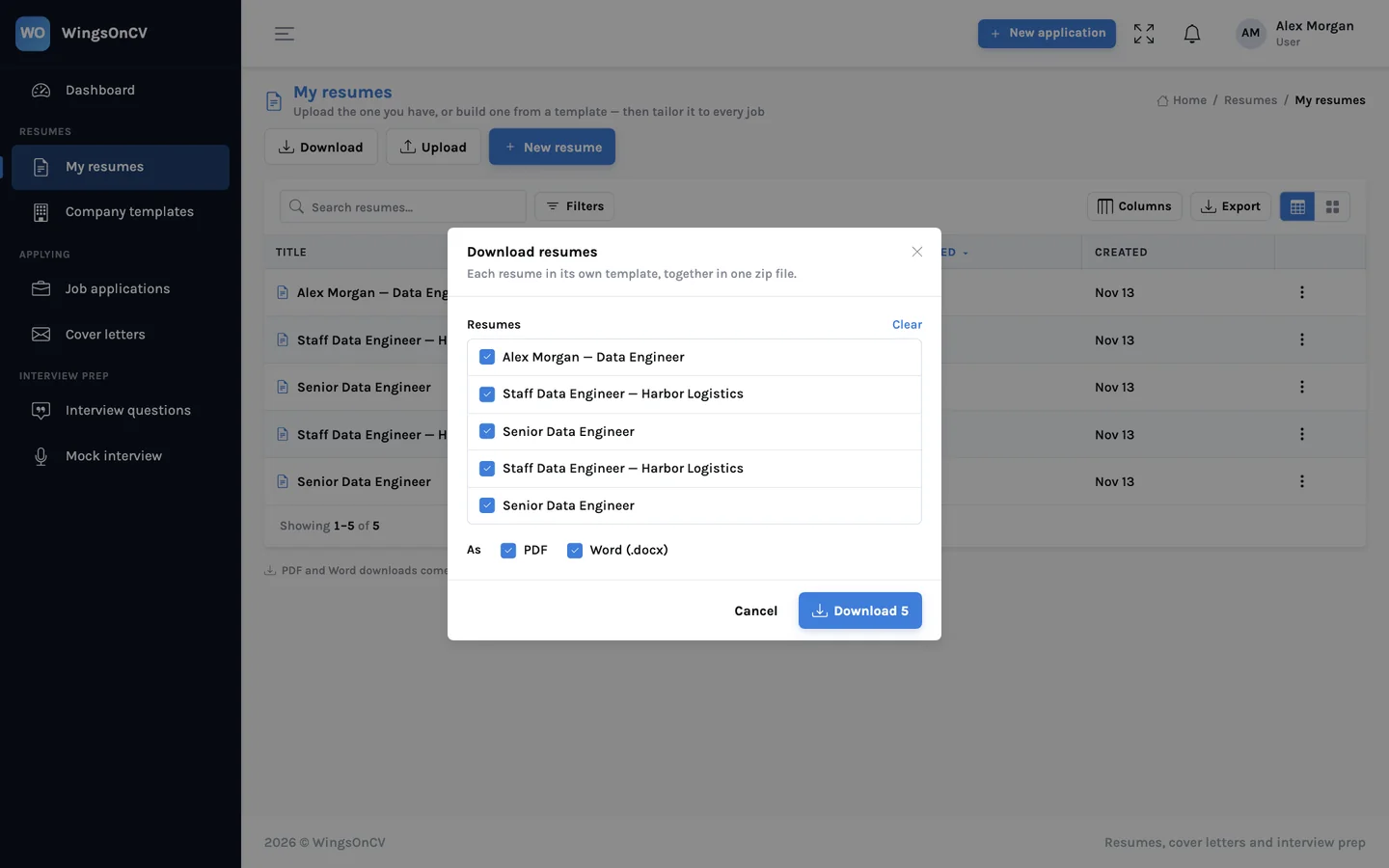
Select the resumes for a role and download them together as a zip, as PDF, Word or both, named consistently.
- PDF and Word for each resume
- One zip, ready to attach
Set up your house format
Create an account, build one company template, and convert the next resume that comes in.