Everyone who has looked for a job has heard the same advice: tailor your resume to the role. It is good advice. A hiring manager reading for a streaming data engineer wants to see streaming work first, in the words their own team uses. A resume that opens with something else makes them hunt for it, and many will not.
The trouble is what the advice costs. Tailoring one resume properly means reading the posting closely, deciding what matters, moving sections, rewording bullets and checking the page still looks right. That is an hour or two for each application. Most people apply to many jobs, so they tailor the first few and then send the same file to everyone else.
WingsOnCV is built for that gap. This post explains what it does, how the three steps work, and the one rule we would not bend.
Three problems, and they compound
| The problem | What it looks like in practice |
|---|---|
| One resume for every job | The file was written for your last search. The experience this posting cares about is in the third bullet of your second role. |
| No time to tailor | You know what to change. Doing it well for one job takes an evening, and there are twelve tabs open. |
| No memory of what you sent | Three weeks later a recruiter calls. Which version did they get? What did the cover letter promise? |
Each problem makes the next one worse. The more versions you make, the harder they are to keep straight. So people make fewer versions, and the first problem comes back.
How it works: three steps, and the first you do once
When you sign in for the first time, the dashboard shows the same three steps and nothing else to learn.
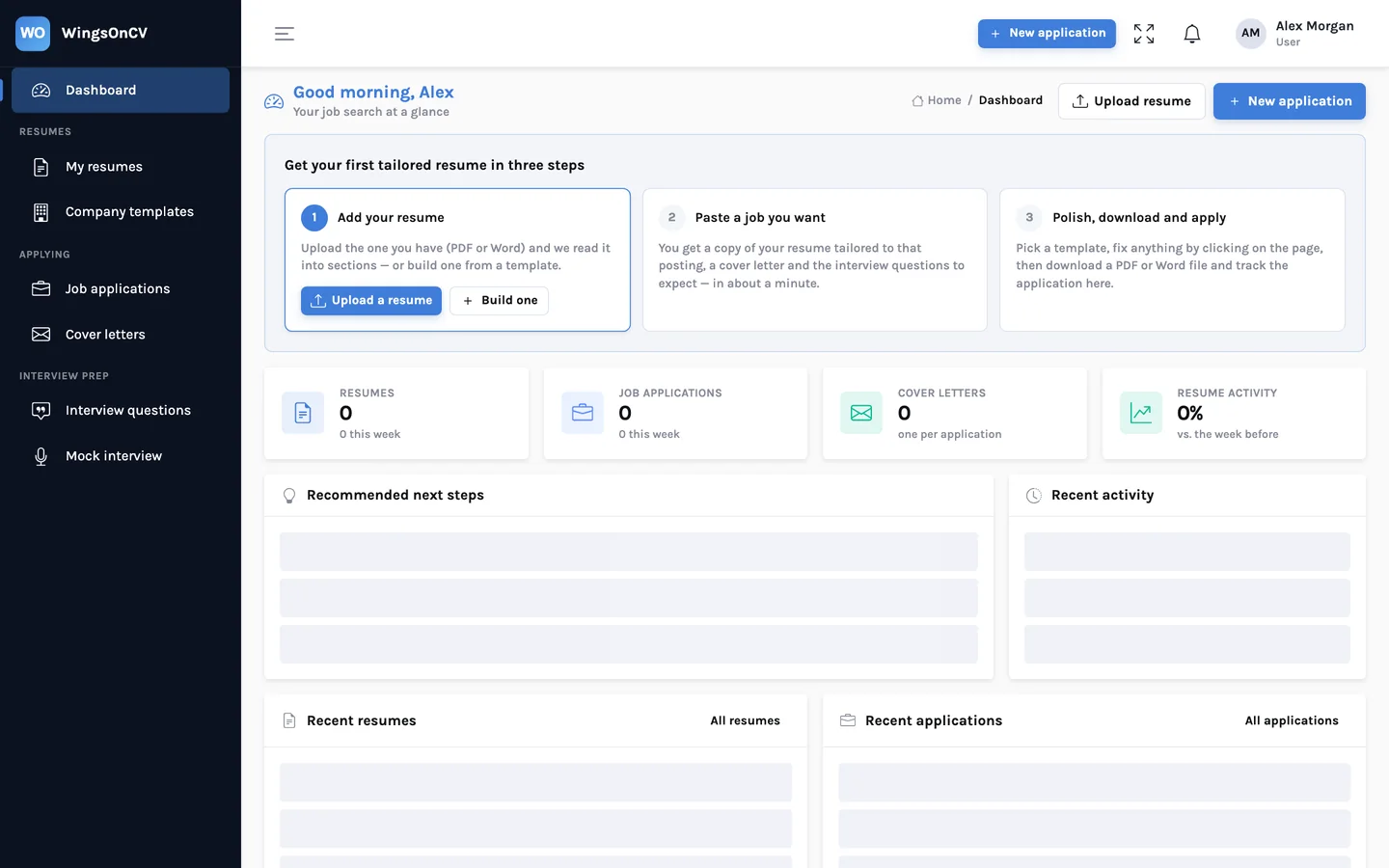
Step 1: add your resume
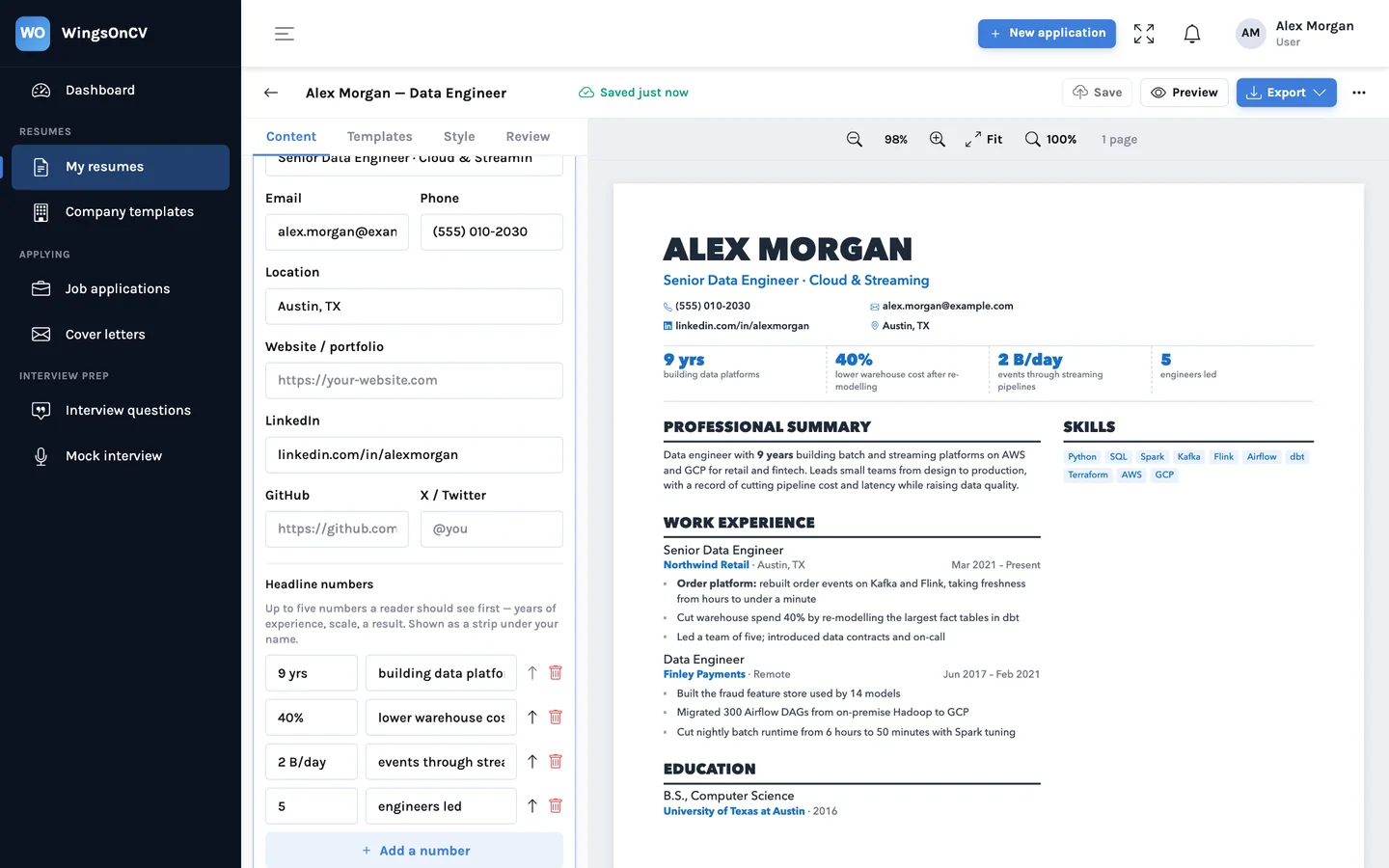
Upload the file you already send out. PDF and Word (.docx) both work. WingsOnCV reads it into sections (summary, roles, dates, education, skills) and turns it into an editable resume. If something was misread, you fix it by clicking the text on the page and typing. If you have no resume yet, pick a template and start from a blank one.
This resume is your source. Nothing that happens later changes it unless you edit it yourself.
Step 2: paste a job posting
Create an application, give it the job title and company, choose which of your resumes to start from, and paste the posting. You can also list the key skills the posting asks for, which steers what gets emphasised.
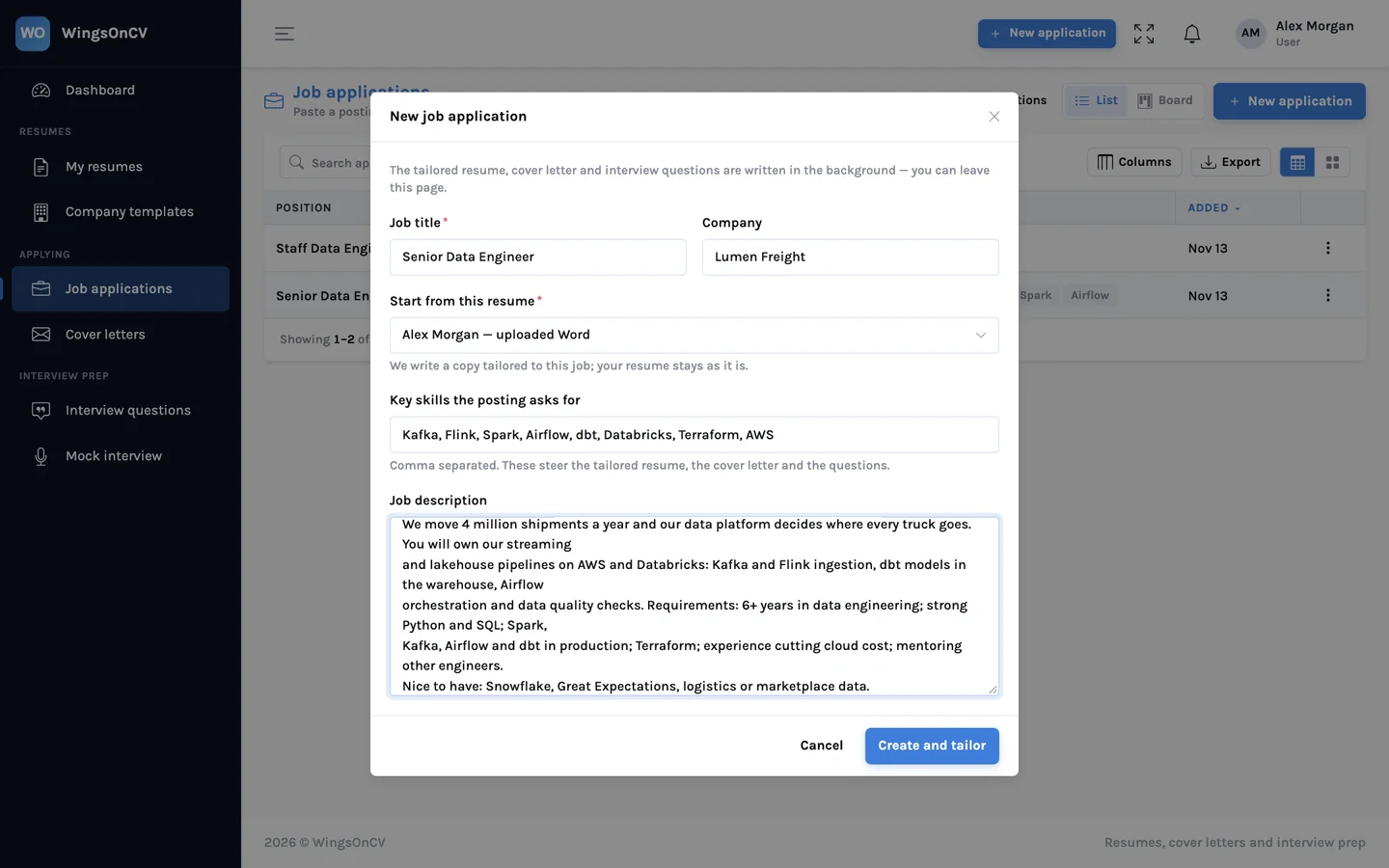
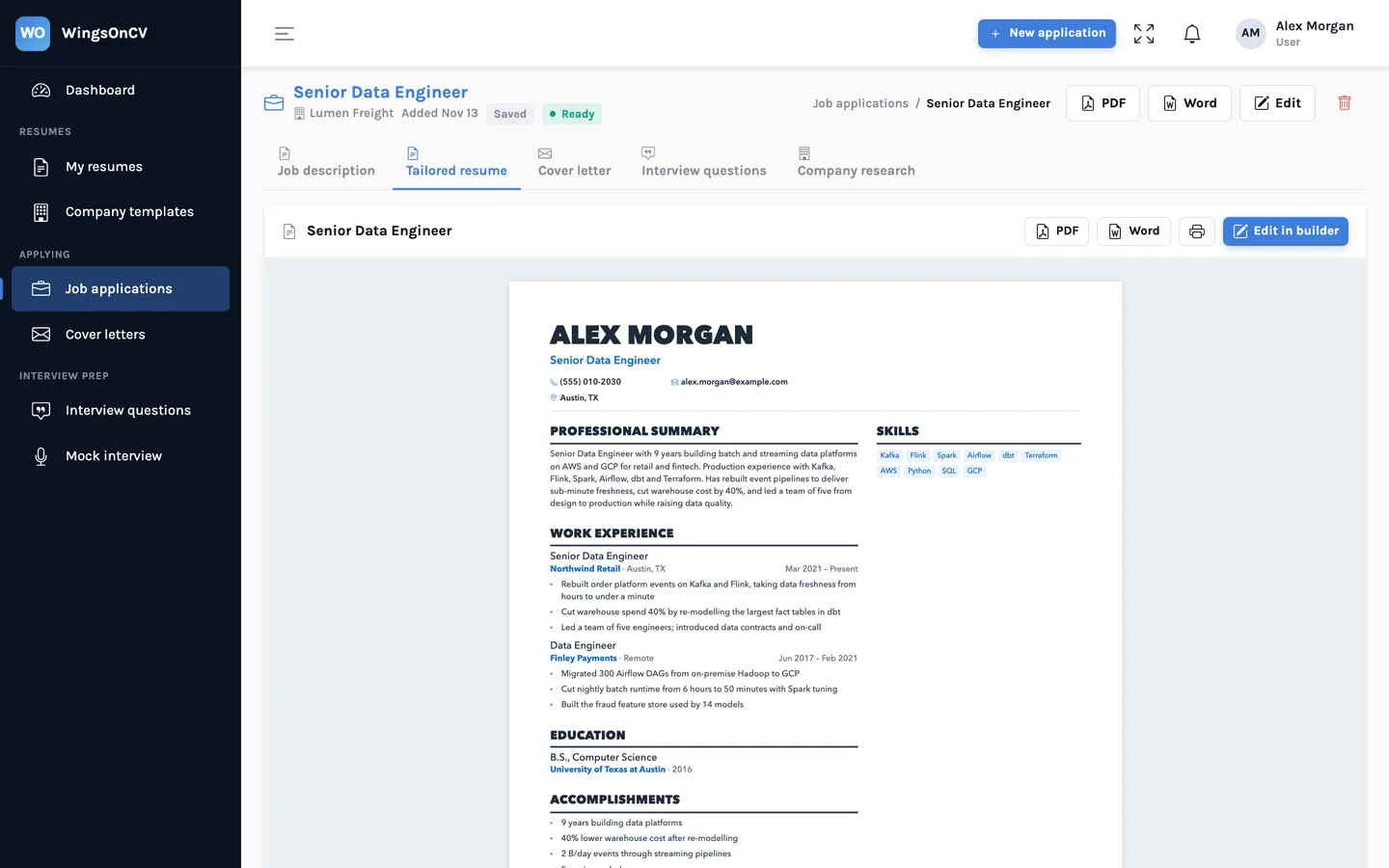
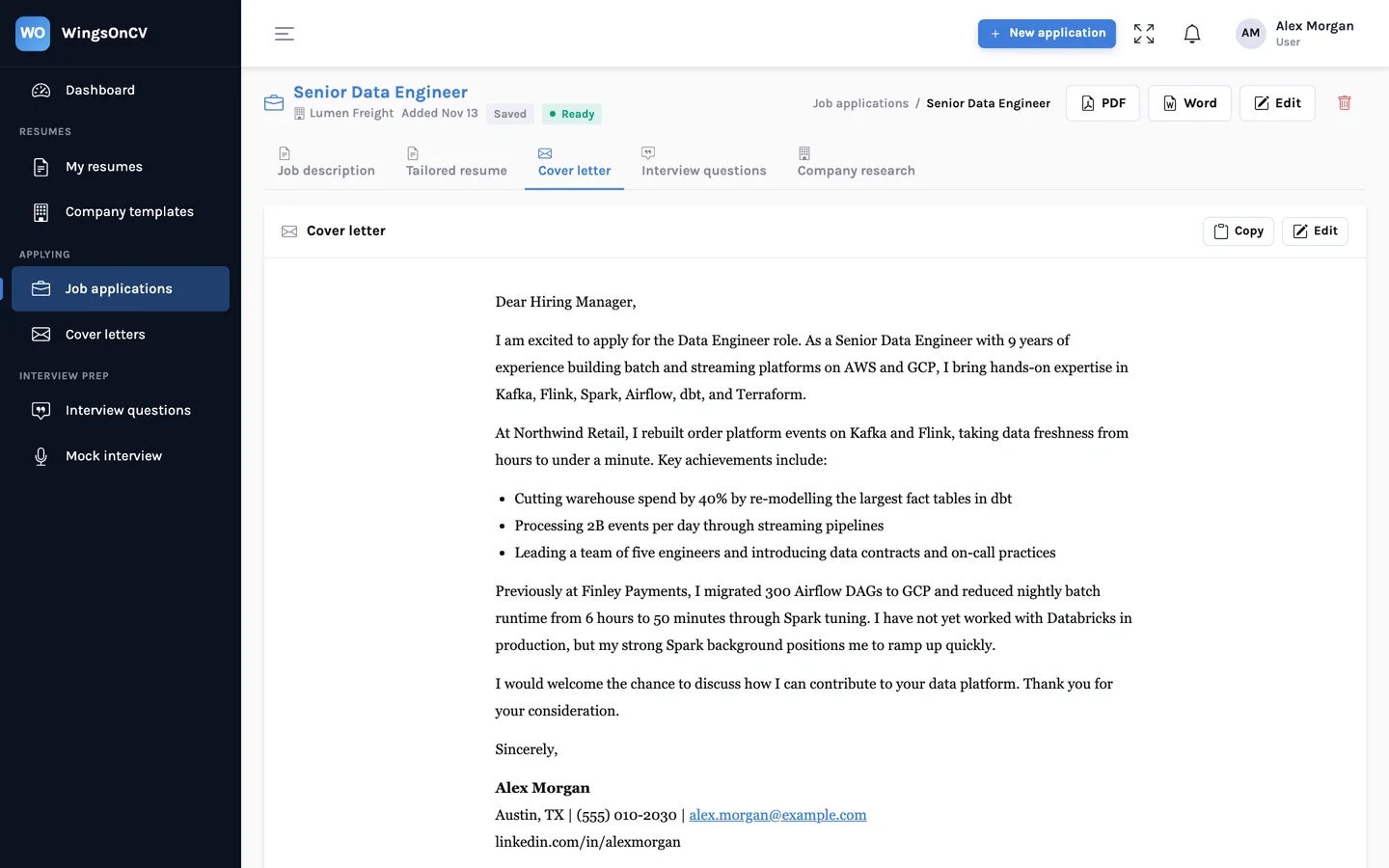
WingsOnCV then writes three things in the background, usually in about a minute: a copy of your resume tailored to the posting, a cover letter, and a list of interview questions this role is likely to raise about your background. You can leave the page while it works.
Step 3: polish, download and track
The tailored copy opens in the same builder as any other resume. Pages are real pages, so what you see is what prints: a heading does not strand at the bottom of a page, and a long section continues on the next page with its title repeated. When it reads right, download a PDF with one click, or Word in the same layout. There is also a single-column Word version for application systems that read a file top to bottom.
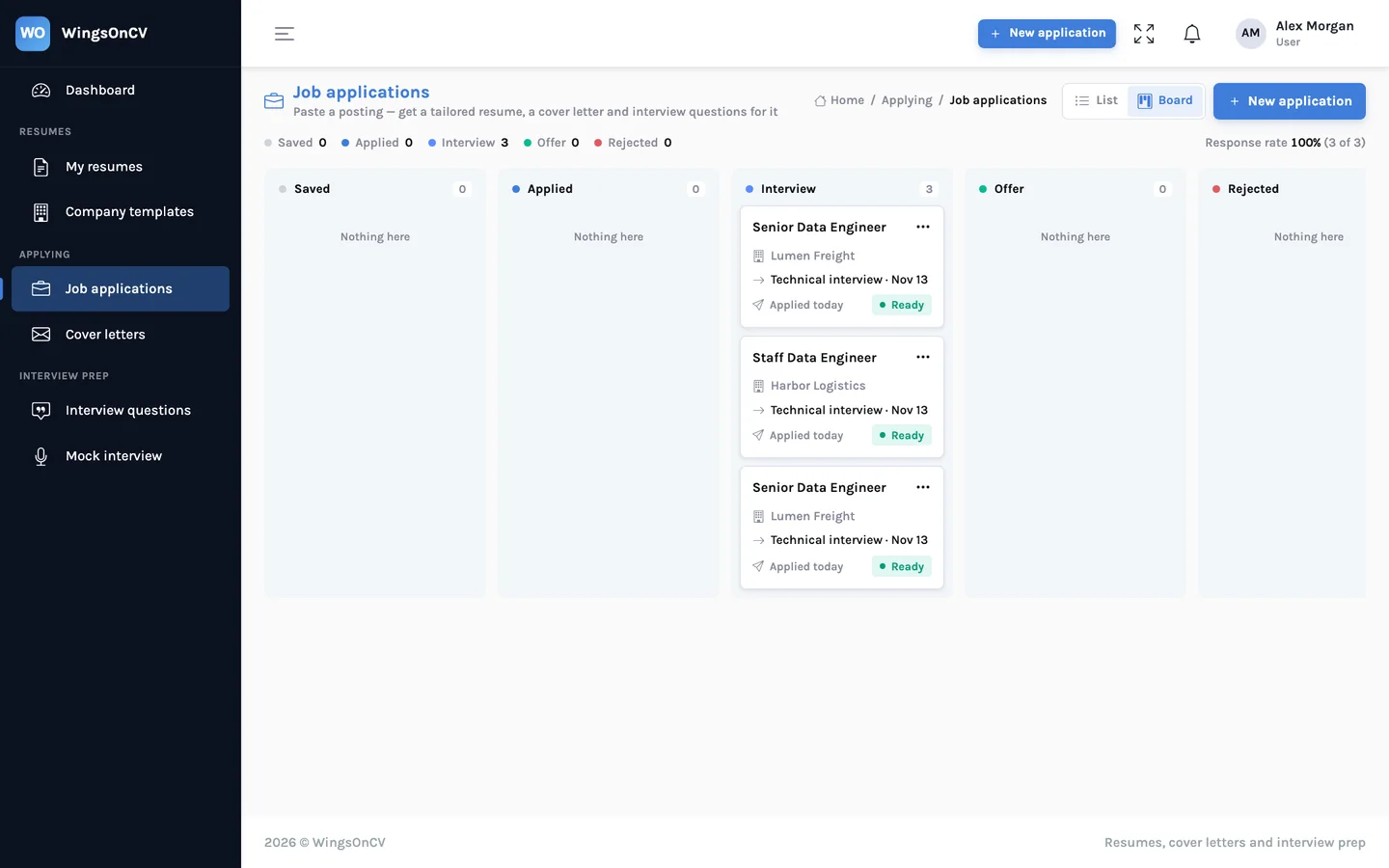
The application then lives on a board, from Saved through Applied and Interview to Offer. The card keeps the posting, the resume you sent, the cover letter and your notes together.
The rule we would not bend: it never invents
AI writing tools are good at producing confident text, and a resume is a document where confident and false is the worst combination. A tool that adds a certification you do not hold, or a tool you have never used, has not helped you. It has set you up for a bad interview, or worse, a bad first month.
So tailoring in WingsOnCV works under one rule: it may re-order and re-word what your resume already says. It may not add to it.
| Tailoring may | Tailoring may not |
|---|---|
| Move the most relevant role, bullet or skill higher | Add an employer, title, degree or date |
| Reword a bullet in the posting's terms, where those terms are true | Add a tool or skill your resume does not mention |
| Rewrite the summary to lead with what this job cares about | Invent or inflate a number |
| Shorten or drop lines that do not matter for this role | Claim experience in an industry you have not worked in |
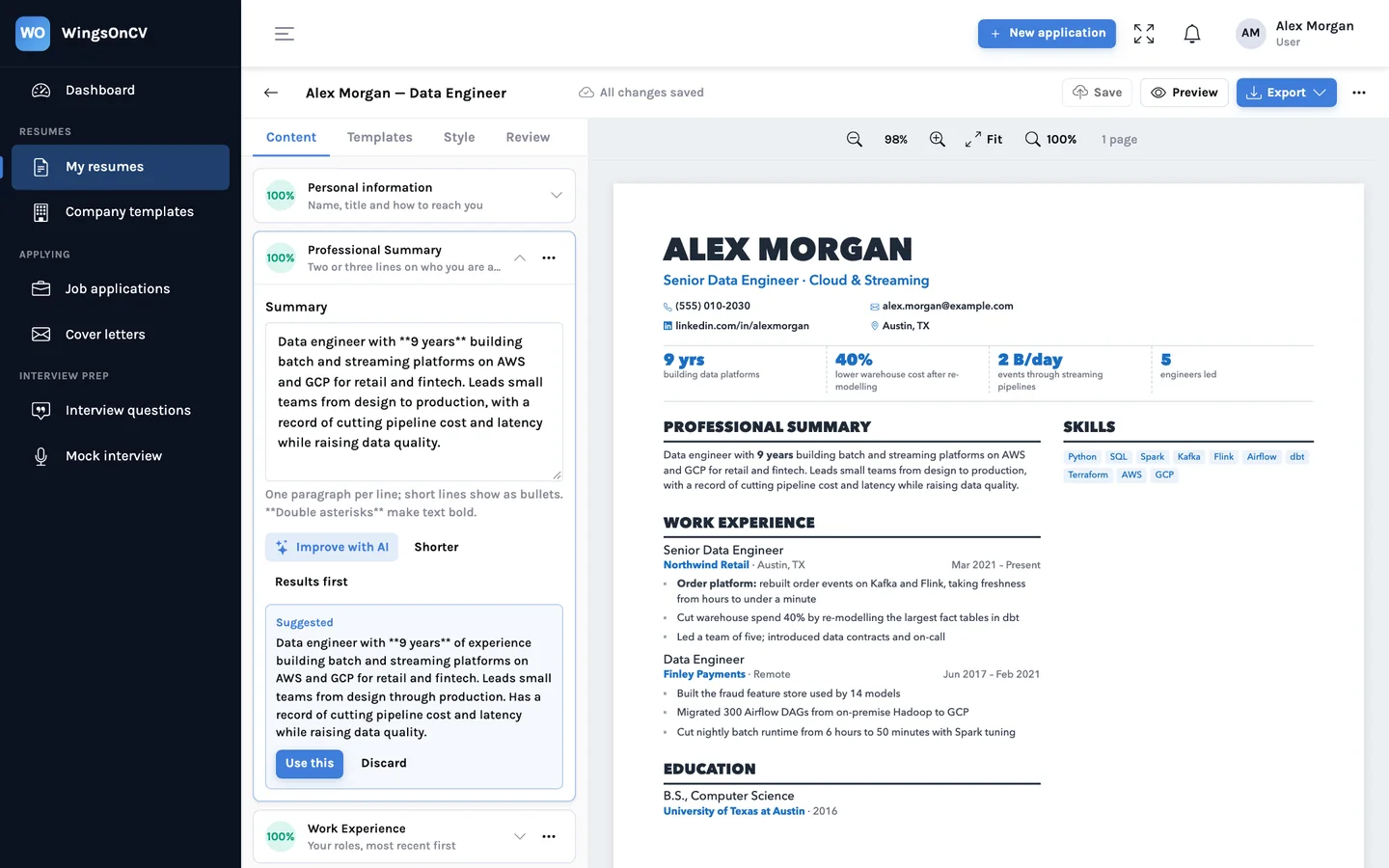
Here is what that looks like on one line. The posting asks for streaming ingestion with Kafka and Flink. The resume already says so, but buries it.
Worked on the order platform data pipelines and improved freshness.
Rebuilt order platform events on Kafka and Flink, taking data freshness from hours to under a minute.
Both lines describe the same work. The second names the tools and the result, which were already elsewhere in the resume. Nothing new was claimed.
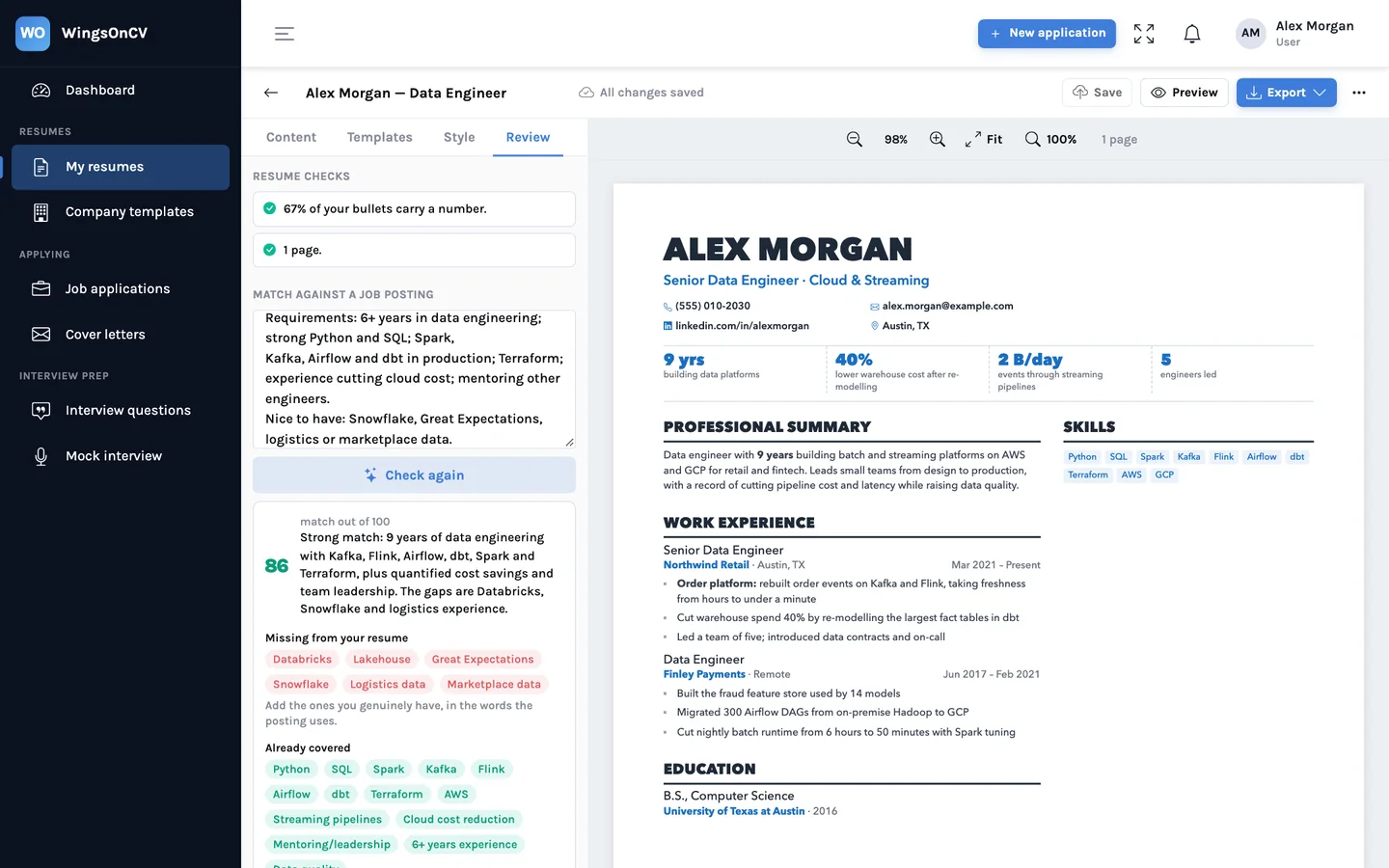
The rule also shows up when you do not match. If the posting asks for something your resume does not have, the review says so plainly and leaves it out of the tailored copy. It will tell you the keyword is missing. It will not add it for you.
You still read it before you send it
The rule is written into every instruction the AI receives, and we test that employers, titles and dates survive tailoring. That lowers the risk. It does not remove your responsibility. Your name is at the top of the page, so read every line. More on how the rule is enforced.
A tailored resume is not a new story. It is the same career, told for this job.
What is in the product today
- Upload or build. PDF and Word uploads become editable resumes. Templates include single-column and two-column layouts.
- A builder with real pages. Click text to edit it, drag sections, switch templates, choose A4 or US Letter. How the page breaks are worked out.
- Tailoring per job. A tailored resume, cover letter and interview questions for each posting you paste.
- Review. Checks on the resume itself, and a match against a posting showing which of its keywords you cover and which you miss.
- Improve a bullet. Rewrites one line using only what it already says. What makes a bullet carry weight.
- Export. One-click PDF, Word in the same layout, single-column Word, and a zip of several resumes at once.
- Tracker. A board of applications with the documents you sent attached.
- Interview preparation. Questions per application, and a practice mode in browsers that support speech.
- Company templates. For staffing firms and career services that send resumes in a house format. See For teams.
One thing is built but not switched on yet: sending a job posting by email and getting the tailored resume back as a reply. It is coming. We would rather say that than list it as a feature you cannot use.
What we are not claiming
We do not promise a number of interviews, and we do not publish a score that says you will get past any particular employer's software. Nobody outside a company knows how its hiring works. What we can show you is concrete: what the posting asks for, what your resume says, and where the two meet.
Your resumes are private to your account. They are not public, not shown to employers by us, and not sold. The privacy policy says what is stored and who processes it.
A sensible first ten minutes
- Create an account and upload the resume you last sent out.
- Check what was read. Fix anything that landed in the wrong section.
- Find one posting you are seriously considering and create an application from it.
- Open the tailored resume beside your original and compare them line by line.
- Open the review and look at the missing keywords. Add the ones you really have, in your own words.
- Every employer, title and date matches your original.
- Every tool and number in the tailored copy is one you can talk about in an interview.
- The first third of page one is about this job.
If those three hold, you have a better application than the one you were about to send, and a record of it. For the craft behind the steps, read how to tailor a resume to a job description.
Start with the resume you already have
Upload it, paste one posting you are considering, and compare the tailored copy with the original before you decide anything.
Create your account