Advice about applicant tracking systems tends to arrive as folklore: the robots reject you, hide keywords in white text, never use a PDF. Most of it does not survive a look at what these systems are for. They are databases that recruiters use to keep applications organised. This article explains what happens to your file inside one, why some layouts are read badly, and how to choose between PDF and Word without guessing.
A claim we will not repeat
You will often read that most resumes are rejected by software before any person sees them. We have not found evidence we could stand behind for that, so we do not make the claim. What is well documented is narrower and more useful: the system extracts the text from your file, and extraction can go wrong.
What the system does with your file
When you upload a resume to an employer's careers site, two things usually happen. The file itself is stored so a recruiter can open it. And the system runs a parser over it: a program that pulls the text out and tries to sort it into fields such as name, email, phone, employers, job titles, dates, education and skills.
Those fields are what make the system useful to the recruiter. They can search applicants for a skill, filter by location, or see a table of candidates with their latest job title. Some systems also rank or score applications against the posting. How much weight a company gives that ranking varies, and you cannot see it from outside.
Two readers follow from this. The parser needs the text to come out complete and in a sensible order. The person needs a document that is easy to scan. A good file serves both, and the two needs conflict less often than the folklore suggests.
Why layout matters to a parser
A page that looks ordered to you is stored in the file as pieces of text with positions. A parser has to work out the reading order from those pieces. Simple pages make that easy. Some design choices make it harder, and different parsers cope differently, which is why advice on this topic is full of contradictions.
| Layout choice | What can go wrong in some parsers | What to do |
|---|---|---|
| Two columns or a sidebar | Lines from the two columns can be interleaved, so a skill lands in the middle of a job description | Fine for a person. Keep a single-column version for uploads that parse |
| Tables used for layout | Cells may be read row by row when you meant column by column | Avoid tables for the main structure in the version you upload |
| Text boxes and shapes | Text inside them can be skipped entirely | Put all content in the normal body text |
| Page header and footer | Often ignored, so contact details placed there can be lost | Put your name, email and phone in the body, at the top of page one |
| Text inside an image, or a scanned page | There is no text to extract unless the system runs character recognition | Never send a scan or a photo of a resume |
| Icons instead of labels | A phone icon is not the word "Phone", and symbol fonts can come out as stray characters | Harmless if the detail itself is plain text |
| Unusual section names | "Where I have been" may not be recognised as work history | Use ordinary headings: Experience, Education, Skills |
| Single column, ordinary headings | Reads top to bottom as written | The safe default for any upload form |
None of this means a designed resume is a mistake. It means the designed version and the uploaded version do not have to be the same file.
Keep two versions of the same resume: one that looks the way you want, and one that reads cleanly from top to bottom.
PDF or Word
Start with the instruction. If the posting or the upload form names a format, send that format. An employer who asks for Word and receives a PDF has learned something about how you follow instructions, and it is not what you wanted them to learn.
When there is no instruction, these are the trade-offs.
| Word (.docx) | ||
|---|---|---|
| Appearance | Looks the same on every device and printer | Can shift with the reader's fonts and Word version |
| Text extraction | Good when the PDF is text-based, which any PDF exported from a document is | Generally straightforward for a simple layout |
| Editing by the recipient | Not practical | Easy, which is why recruiters and staffing firms often ask for it |
| Best for | Emailing a person, or any form that accepts PDF | Forms that ask for Word, and recruiters who will reformat your resume |
A text-based PDF is one where you can select the words with your cursor. A PDF made by scanning paper, or by saving a picture of a page, is an image wrapped in a PDF, and a parser may get nothing from it.
Test your file before you send it
You do not need access to an employer's system to find out how your file reads. The simplest test is the one a parser performs: take the text out and look at it.
- Open the PDF or Word file you intend to send.
- Select everything and copy it.
- Paste it into a plain text editor, one that shows no formatting.
- Read it from top to bottom as if you had never seen the resume.
- Your name, email and phone number appear, near the top
- Each job has its title, employer and dates together, not scattered
- Bullets sit under the job they belong to
- Nothing from a sidebar has been spliced into the middle of a sentence
- No strings of odd symbols where icons or bullets used to be
- Section headings appear as words: Experience, Education, Skills
If the pasted text reads in order, a parser has a fair chance of reading it in order. If it does not, switch to a single-column version for that application.
How WingsOnCV handles this
The product keeps the content of a resume separate from its design. That is what makes it possible to produce several files from one resume without retyping anything.
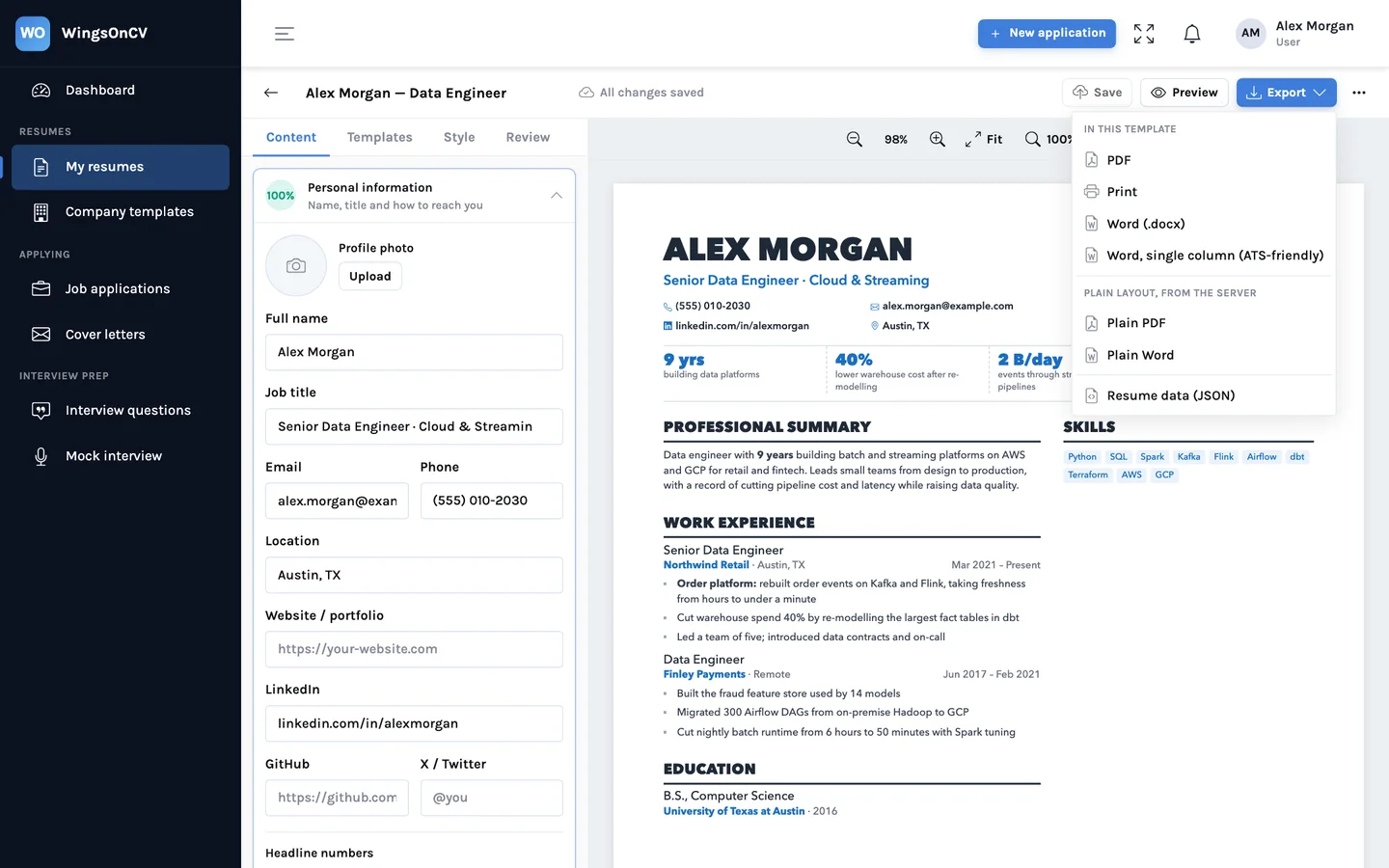
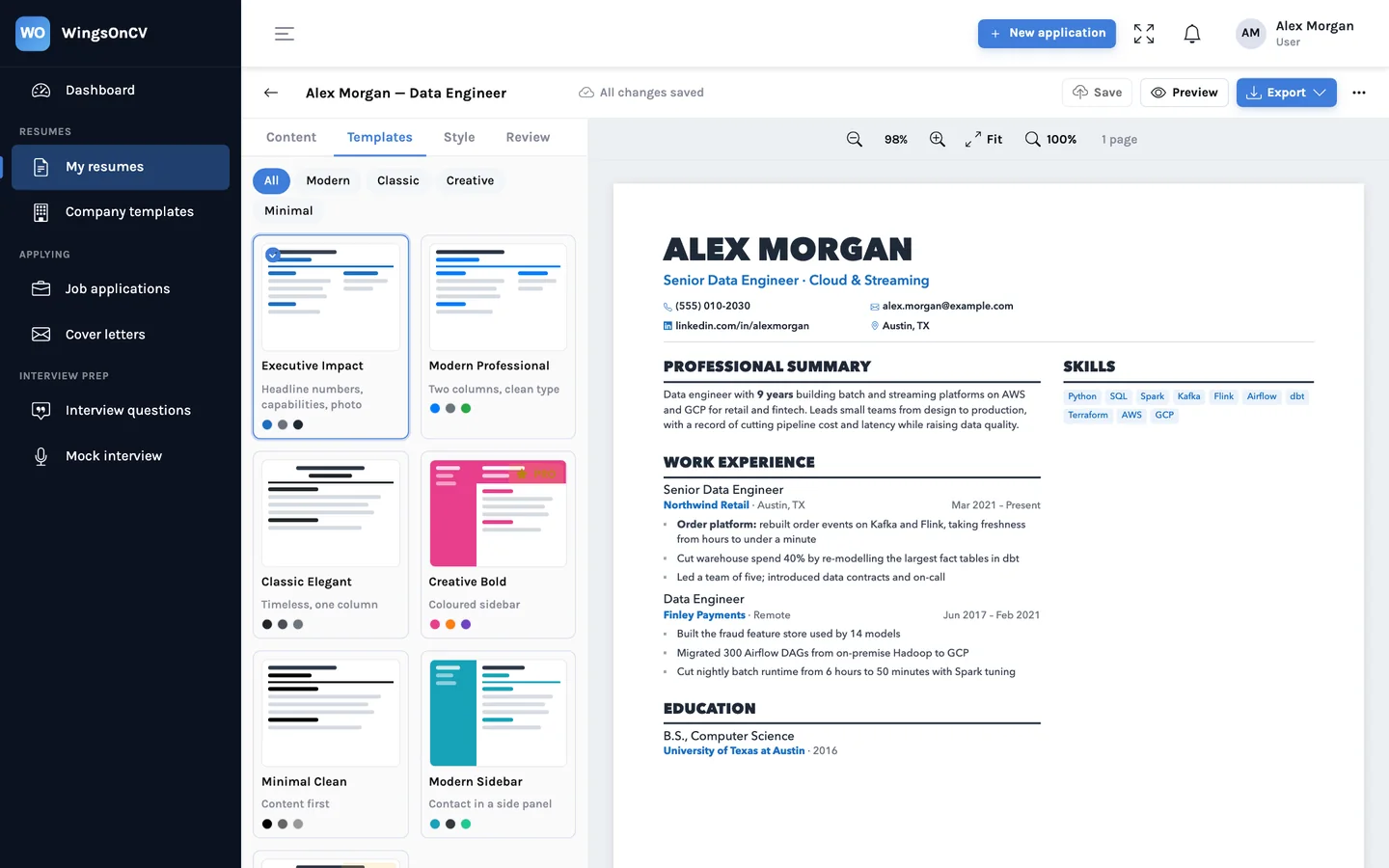
A PDF of the pages you see
The PDF option renders the exact pages shown in the builder, with the page breaks you saw, and downloads a text-based file. There is no print dialog to get wrong. See how the page breaks are worked out.
Word in the same layout
Word (.docx) produces a document in the same layout as the template, including two columns where the template has them. Use it when a person will open the file and you want it to look like the PDF.
Word in a single column
Word, single column writes the same content from top to bottom: contact details in the body, ordinary headings, no layout tables. This is the one to upload when a form parses your file, or when you ran the copy and paste test and did not like the result.
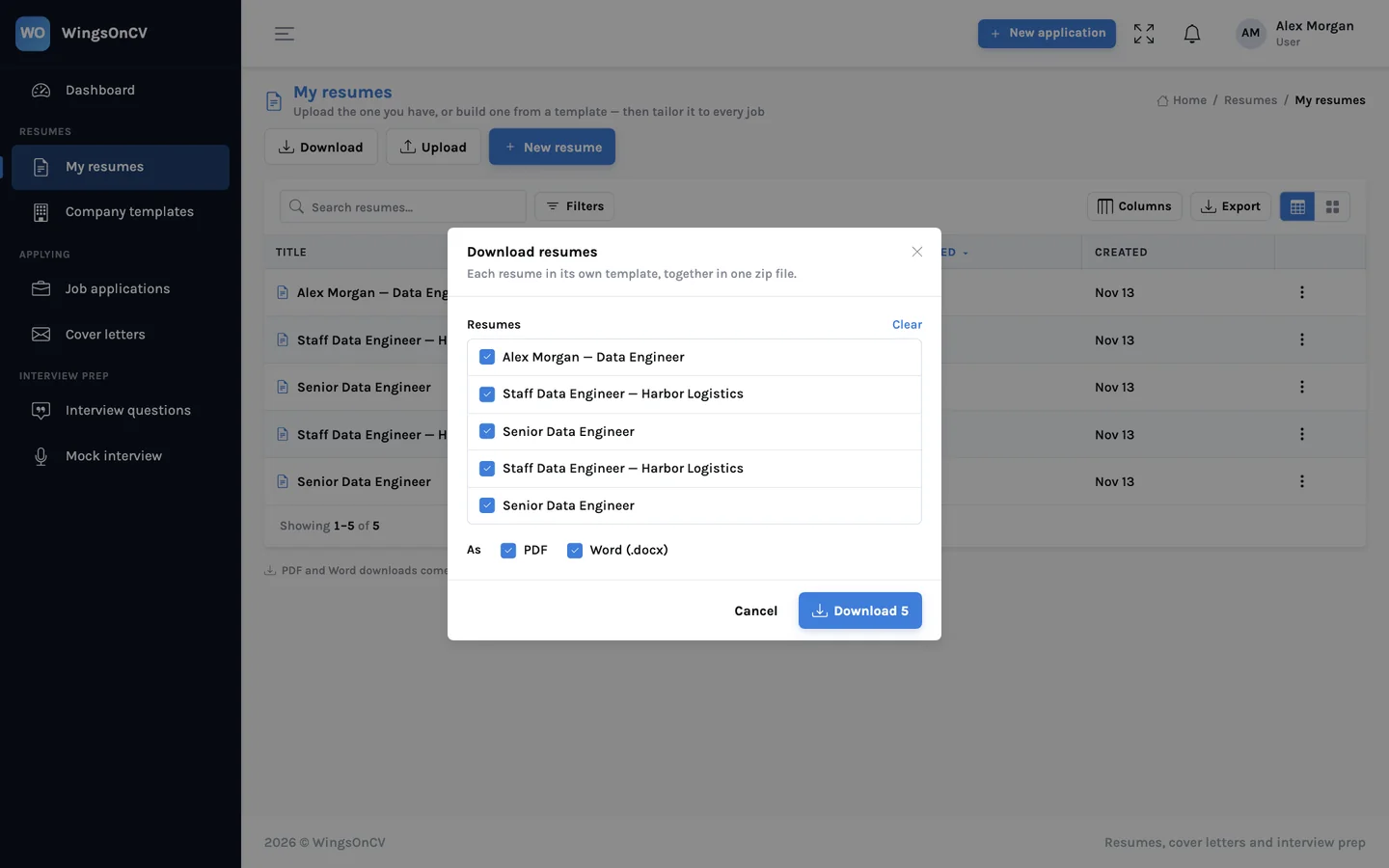
If you apply to many roles, you will end up with several tailored resumes, each needed in more than one format. The My resumes page can download a selection at once, as PDF, Word or both, in one zip.
What matters more than the file format
Getting the format right removes a way to fail. It does not make a weak resume strong. Once the text reads cleanly, the things that decide the outcome are the ones a person judges:
- Whether the resume speaks to this job. See how to tailor a resume to a job description.
- Whether the posting's real requirements appear in your own words where they are true of you. Do not paste the posting in, and do not hide keywords in white text: the person who opens the file can see what you did.
- Whether everything on the page is accurate. An application system keeps what you send, and so does the employer.
So: follow the employer's instruction, send a text-based file, keep a single-column version for upload forms, and test by copying the text out. That covers what can be known from outside the system. The rest is the resume itself.
Export both versions from one resume
Upload the resume you have, pick a template, and download the PDF, the matching Word file and the single-column Word file from the same content.
Create your account